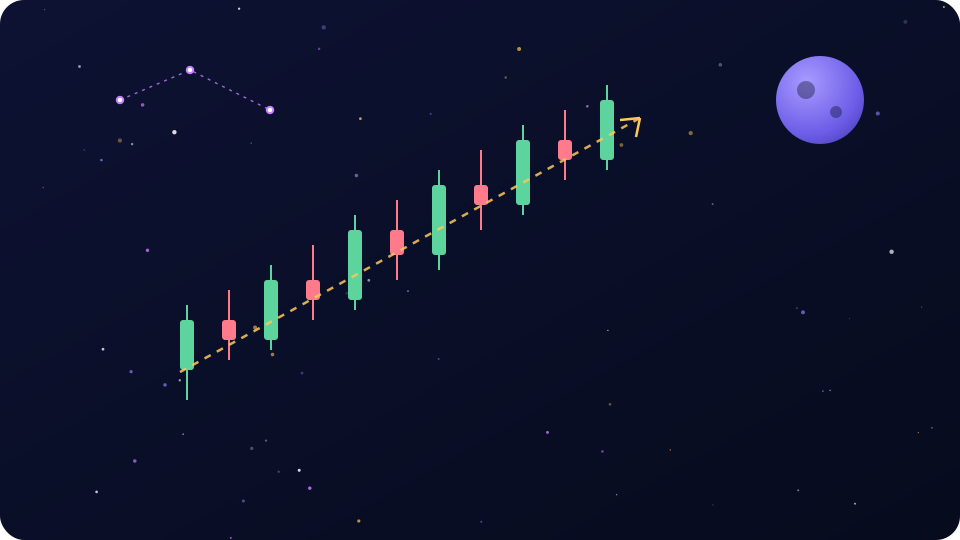
Let us answer the question directly, because most guides bury it. How to trade on Crypto Cosmic: you install the app from Google Play, you receive a virtual balance in in-game currency, and you buy and sell cryptocurrencies at real-time market prices on a simulated exchange. According to the official Google Play listing, that is the whole product — a free, PEGI 3 educational game with virtual trading, missions, achievements and a leaderboard. And per the official Terms of Use on cryptocosmicapp.com, the game "does not contain any real-world cash or real cryptocurrency mechanics and is fully virtual". Nothing you do inside CryptoCosmic costs real money, and nothing you do earns real money. If that last part disappoints you, read our withdrawal truth page before someone on Telegram "helps" you cash out balances that do not exist.
We have been auditing crypto platforms since 2017, and we will say something unfashionable: a simulator with real prices is one of the best free training tools a beginner can get. Most people lose money in their first year of real trading not because the market is rigged, but because they practice with rent money. CryptoCosmic lets you make every classic mistake for free. This guide is how to squeeze real education out of it.
How Trading on Crypto Cosmic Actually Works
Strip away the space theme and the mechanics are what traders call paper trading — a demo account. The Google Play listing describes virtual trading on a simulated exchange with real-time market prices, plus missions and trading competitions layered on top. In practice that means three things matter:
- Your balance is game currency. No deposits, no withdrawals, no KYC, no wallet. If you blow the account, you have lost nothing but pride.
- Prices are real. The chart you watch for Bitcoin or Ethereum tracks the actual market. When BTC dumps 6% on a Sunday night, your virtual position dumps with it. That makes the practice meaningful in a way random-number "trading games" are not.
- Execution is simulated. The app fills your virtual orders at the quoted price. Real exchanges do not always do that — hold this thought, we return to it in the honesty section below.
We will not walk you through exact button names and screen layouts, because app updates change layouts constantly and we refuse to invent details we cannot verify. The concepts below work regardless of where the buttons sit. If you have not installed the app yet, our download guide covers Android, the missing iOS version, and why you should avoid APK mirror sites.
Your First Trading Session: a Fool-Proof Plan
Do not open the app and start tapping. Run this exact sequence once, slowly. It takes about twenty minutes and teaches more than a week of random clicking.
- Pick one coin, and make it Bitcoin. BTC is the least chaotic major asset. Ignore everything else in the market list for now.
- Watch the candlestick chart for five full minutes before touching anything. Note whether price is drifting up, down, or sideways. Boredom here is a feature — trading is mostly waiting.
- Make one small virtual buy. Something like 2–5% of your starting balance. Not half. Not all-in. The habit of small position sizing is the single most transferable skill this simulator can build.
- Set a mental exit before you buy, not after. Decide two numbers: where you take profit (say, +3%) and where you cut the loss (say, −2%). Write them down. Yes, physically.
- Close the position when either number hits. Not "a bit later to see what happens". Either number. This is the drill.
- Review the result in one honest sentence. "I bought because the chart was green and I was impatient" is a legitimate finding. Most losing traders have never written that sentence.
Congratulations — you have executed a complete trade with a plan, which already puts you ahead of most beginners. If you have not created an account yet, the login and sign-up guide explains what the app does and does not ask for.
Reading the Market: Candlesticks, Timeframes, Volume
Everything on a trading screen is decoration around three data types. Learn these and the rest is cosmetics.
Candlesticks in plain language
Each candle summarises price over one time slice. The thick body shows where price opened and closed; the thin wicks show the high and low reached in between. Green (or hollow) body: price closed above where it opened. Red: it closed below. A long lower wick means sellers pushed price down and buyers shoved it back up — useful information.
Timeframes
The same market looks completely different on a 1-minute chart versus a daily chart. A rule we give every beginner: pick one timeframe per drill and stay on it. For your first weeks, the 1-hour and 4-hour charts are honest middle ground — slow enough to think, fast enough to see results this week.
Volume
Volume bars show how much was traded in each candle. Price moves on high volume mean conviction; the same move on thin volume is noise. In a simulator, volume comes from the real market feed, so it is one of the most realistic signals you get.
A small constellation of practical tips before you drill:
- One green candle is not a trend. Three candles are barely a suggestion.
- Round numbers (BTC at 100,000, ETH at 5,000) act like magnets and walls. Watch how price behaves near them.
- Sideways chop eats beginners alive. When you cannot tell the direction, the correct trade is no trade.
- "Real-time prices" in a simulator means the chart is real; your fills, fees and market impact are not.
Core Practice Drills: How to Trade on Crypto Cosmic With Purpose
Aimless demo trading builds bad habits faster than no trading at all. Run structured drills instead. Each one targets a specific skill that transfers to real markets.
Drill 1: The DCA drill
Dollar-cost averaging: buy a fixed virtual amount of one coin on a fixed schedule — say, every day for two weeks — regardless of price. The lesson is emotional, not mathematical: you will feel the itch to skip the buy when price is falling and to double it when price is pumping. Notice the itch. Do not obey it.
Drill 2: The swing-trade drill
On the 4-hour chart, identify a level where price bounced at least twice. Place a virtual buy near that level with a defined stop below it and a target above. Hold for days, not minutes. The skill being trained is patience and letting a written plan override the urge to fiddle.
Drill 3: Stop-loss discipline
For ten consecutive trades, define your loss-cut point before entry and honour it manually, every time, no exceptions. Nine disciplined exits and one "it will come back" is a failed drill — restart the count. This is the one that saves real accounts later.
Drill 4: Journal every trade
Entry price, exit price, position size, the reason in one sentence, the emotion in one word. A notes app is fine. After twenty trades, read the journal in one sitting. Patterns will embarrass you. That embarrassment is the education.
Drill 5: The 1% risk rule, virtual edition
Professional risk management says: never risk more than about 1% of your account on a single trade. Adapted to a virtual portfolio: if your balance is 100,000 game dollars and your stop-loss is 5% below entry, your position should be around 20,000 — so the loss, if the stop hits, is roughly 1,000, or 1% of the account. Position sizing, not chart wizardry, is what separates survivors from statistics.
Drill 6: Missions and the leaderboard, used correctly
The official listing highlights missions with virtual rewards, achievements, leaderboards and trading competitions. Used well, these are free structure: a mission gives your session a goal. Used badly, the leaderboard trains you to gamble, because demo leaderboards reward whoever took the most absurd risk and got lucky. Chase consistency in your journal, not rank on the board.
Strategy Table: What Each Approach Teaches
| Strategy | What it teaches | Typical mistake | How to drill it in the simulator |
|---|---|---|---|
| DCA (dollar-cost averaging) | Consistency; ignoring short-term noise | Stopping the schedule during a crash — the exact moment DCA works | Fixed virtual buy, fixed schedule, two weeks minimum, no skips |
| Swing trading | Reading levels and trends; patience over days | Exiting early on the first red candle | Plan entry, stop and target in writing before the trade; hold to plan |
| Day trading | Fast chart reading; decisiveness | Overtrading — twenty impulse trades before lunch | Hard cap of 3 trades per session; journal each one |
| HODL (buy and hold) | Conviction and volatility tolerance | Panic-selling a long-term position on a 15% dip | Buy once, do not touch for a month, log your urges instead of acting |
| Stop-loss management | Capping downside; killing hope-based holding | Moving the stop further away as price approaches it | Ten trades, stops honoured 10/10, or restart the count |
Mistakes the Simulator Will Happily Let You Make
CryptoCosmic will not stop you from trading badly — no simulator does. Here are the classic demo-account failure modes, with fixes.
The big four, and the fixes. Overtrading: dozens of trades per day, none with a reason — fix it with a hard cap of three planned trades per session. Revenge trading: doubling position size right after a loss to "win it back" — fix it with a mandatory pause after every losing trade; close the app, come back tomorrow. All-in trades: the entire balance on one coin because the chart "looked ready" — fix it with the 1% risk rule above, no exceptions even in a game. Ignoring position sizing: same virtual amount on a stable coin and a micro-cap moonshot — fix it by sizing every position from your stop distance, not from your excitement level.
Because demo losses do not hurt, bad habits feel painless. Treat your virtual balance as if it were three months of salary — the traders who graduate well are the ones who pretended it mattered.
What CryptoCosmic Cannot Teach You
Let us be blunt about the limits. A simulator teaches mechanics and discipline. It cannot teach the following, and pretending otherwise is how demo champions become real-money donors.
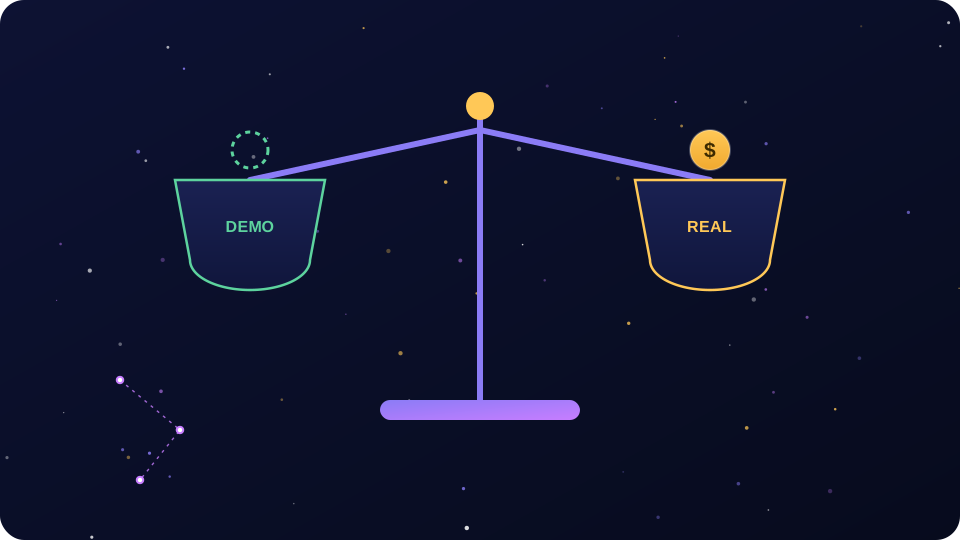
- Real fees. Live exchanges charge maker/taker fees, spread, sometimes funding rates. A strategy that scalps 0.3% moves dies instantly when each round trip costs 0.2%.
- Slippage. In a simulator you get the price on the screen. In a real market your order fills at whatever price liquidity allows — often worse in fast moves, exactly when you trade.
- Order-book depth and liquidity gaps. Big orders move the market against you; thin altcoin books can gap right through your stop-loss and fill you far below it. A demo fill is a polite fiction.
- Withdrawal friction. Real platforms have KYC checks, withdrawal limits, network fees and occasional "temporary suspensions". CryptoCosmic has no withdrawals at all — see why that is actually the honest design.
- Real emotions. The biggest one. Watching game money drop 20% is a shrug. Watching your actual savings drop 20% rewires your judgment in ways no simulator can reproduce. Every trader believes they will be calm. Almost none are, the first time.
Risk warning. Past performance in a demo account says almost nothing about your future results with real money. Most beginners lose money in real crypto markets — the combination of fees, slippage, leverage and emotion is far harsher than any simulator. Never trade with funds you cannot afford to lose, and treat anyone promising otherwise as a red flag.
Graduation Checklist: When You Are Ready to Try Real Markets
There is no diploma, but there are honest signals. Consider a small real position only when all of these are true:
- You have a journal of 30+ virtual trades and you can name your most common mistake without checking.
- You honoured your stop-loss on ten consecutive trades without renegotiating with yourself.
- You size positions from risk (the 1% rule), not from mood, and the arithmetic is automatic.
- You survived at least one sharp market drop without revenge trading the bounce.
- You understand what the simulator did not charge you: fees, spread, slippage, taxes.
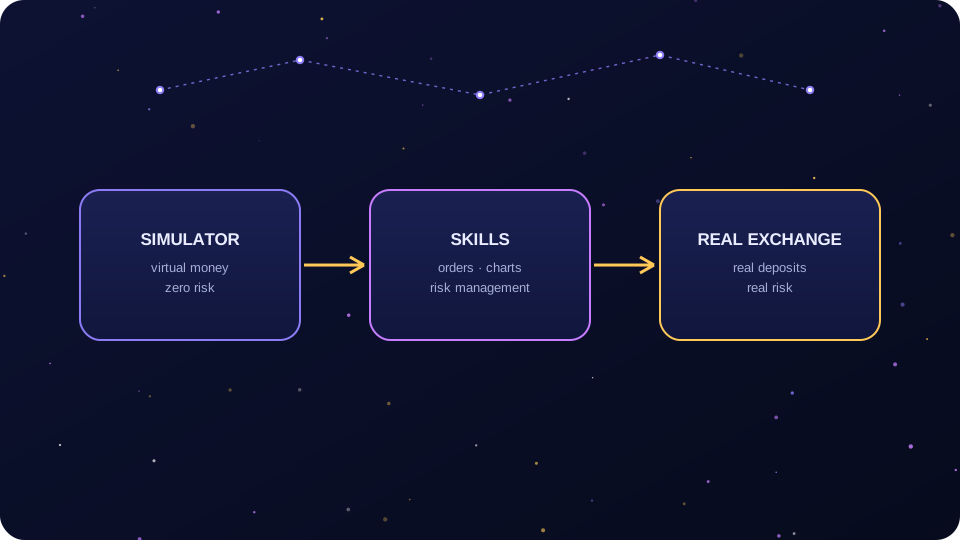
When you do step up, keep the stakes almost insultingly small: an amount whose total loss would annoy you less than a cancelled dinner. Use a regulated live trading platform that complies with your local rules — in the EU that now means MiCA-authorised providers. Expect KYC and enable 2FA before your first deposit, not after your first scare.
One paragraph you should not skip: on an exchange, your crypto is custodial — the platform holds the keys, like a bank holds your deposit. A non-custodial wallet is your personal safe: you control the Seed Phrase, and if you lose it, no support desk can reset it. CryptoCosmic has neither — there is no real wallet in the game at all, which is why anyone asking for your seed phrase "to link CryptoCosmic" is running a scam. The full explanation lives on our wallet truth page.
Verdict: a Free Gym, If You Actually Train
How to trade on Crypto Cosmic, condensed: treat it as a gym, not a slot machine. The app gives you real prices, a virtual balance, and — per the official Google Play listing — missions, achievements and competitions to keep you showing up; 5M+ downloads and a 4.6-star rating suggest plenty of people do. Run the drills, keep the journal, respect the 1% rule, and you will extract more practical education from this free game than from most paid courses. Skip the structure and you will just get very good at tapping buy. For the bigger picture, start with what is CryptoCosmic — and remember the rule we repeat on every page: the money in the game is not real, and that is precisely what makes it useful.
Frequently Asked Questions
Is trading on CryptoCosmic real trading?
No. CryptoCosmic is a simulator: per the official Terms of Use, it contains no real-world cash or cryptocurrency mechanics and is fully virtual. The market prices are real, so charts behave like the actual market, but your balance is in-game currency. You cannot deposit, lose or withdraw real money.
Can I earn money by trading well on Crypto Cosmic?
No. Profits in the app are virtual game currency with no cash value and no withdrawal mechanism, as the official terms make explicit. Any website or Telegram contact offering to "cash out" your CryptoCosmic balance is a scam. What good trading in the simulator actually earns you is skill and discipline — assets you carry to a real, regulated platform later.
What is the best strategy to practice first in the simulator?
Start with the DCA drill: buy a fixed virtual amount of Bitcoin on a fixed schedule for two weeks, no skips. It requires no chart-reading talent and trains the single most valuable habit — consistency under emotional pressure. Then move to swing trades with written stop-losses. Save day trading for last; it is the easiest style to fake success at in a demo.
Are the prices in CryptoCosmic the same as real exchanges?
The official Google Play listing says the app uses real-time market prices, so the charts track the actual market closely. What differs is execution: a simulator fills your orders at the displayed price, while real exchanges add fees, spread and slippage, and thin order books can fill you at worse prices. Read prices as real; treat fills as idealised.
How long should I practice on Crypto Cosmic before trading real money?
Count trades, not weeks. A reasonable bar: 30 or more journaled virtual trades, ten consecutive trades where you honoured your stop-loss, and position sizing by the 1% rule done automatically. For most people that takes one to three months of regular sessions. When you do go live, start with an amount you could lose without flinching.
Does CryptoCosmic have leverage, futures or an order book like a real exchange?
The official listing describes virtual spot-style trading on a simulated exchange with real-time prices, missions and competitions; it does not advertise a full order-book or derivatives suite. Either way, no simulator reproduces real order-book depth or liquidation pressure — learn those concepts in theory before ever touching leverage with real funds.