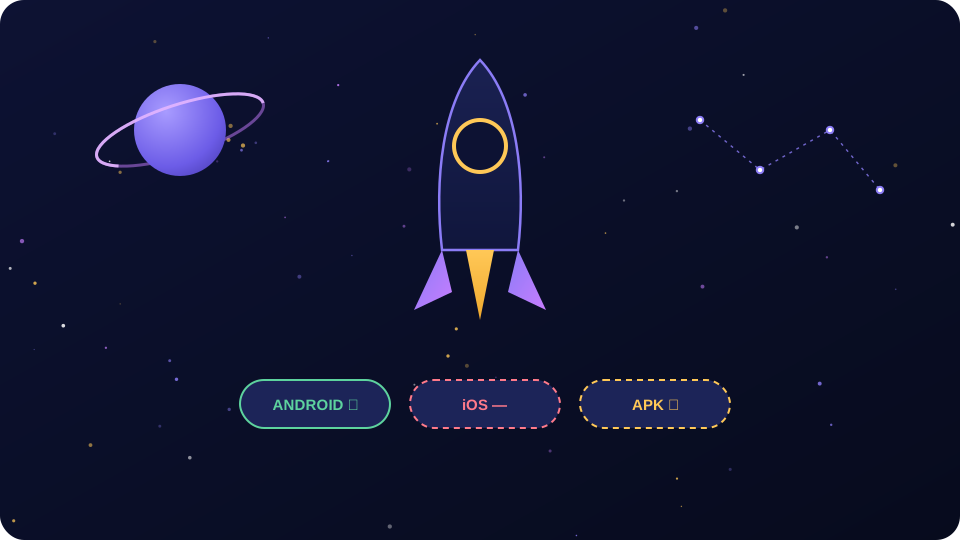
Let us save you ten minutes of searching. The crypto cosmic app download exists in exactly one official location: the Google Play listing for CryptoCosmic Trading Simulator. It is free, it sits at 5M+ installs with a 4.6-star average from roughly 224,000 reviews, and it was last updated on June 5, 2026 — all figures according to the official Google Play listing. There is no official iOS version, no official APK outside Google Play, and no Windows or Mac client. We verified this in July 2026: the official website, cryptocosmicapp.com, links to Google Play and nowhere else.
Why so many words for a download button? Because the gap between "official app" and "everything else" is where people get hurt. Every popular app breeds fake APK mirrors, fake "iOS beta" links and fake desktop installers within months. CryptoCosmic is a virtual trading simulator with no real money inside, but a fake build does not care about the game — it wants your device, your data and any Seed Phrase it can phish out of you.
The short answer: Google Play, Android only
The entire official distribution picture, verified against the official website in July 2026:
- Android: official, via Google Play. Package name
crypto.cosmic.simulator.app, developer listed as Cosmic Champions. Free, rated PEGI 3, filed under "Educational" games. - iOS (iPhone/iPad): no official version. The App Store has no listing from this developer.
- APK sideload: the developer does not distribute an APK outside Google Play. Every "crypto cosmic apk" file on a mirror site is unofficial by definition.
- Windows/Mac/desktop: no official client and no web version. The official site has three pages — main, privacy, terms — with no login of any kind.
Because there is no web version, any "CryptoCosmic web login" or "PC download" site is not run by the developer.
How to download CryptoCosmic on Android, step by step
This takes two minutes. The steps are deliberately paranoid — clone apps are a documented problem on every store, and checking the developer name costs five seconds.
- Open the Google Play Store app on your Android device — the store app itself, not a link from a website, forum post or Telegram channel.
- Search the exact name "CryptoCosmic Trading Simulator". Searching just "crypto game" or "crypto simulator" surfaces dozens of lookalikes.
- Check the developer name under the title. It must say Cosmic Champions. If it says anything else — even something close, like "Cosmic Champion" or "Crypto Cosmic Ltd" — walk away.
- Sanity-check the numbers. The genuine listing shows 5M+ downloads and a 4.6-star rating from hundreds of thousands of reviews. A clone typically shows a few thousand installs and a suspiciously perfect 4.9 from a handful of reviews.
- Tap Install. The app is free. Google Play handles the download, signature verification and future updates automatically.
- Open the app and create your account: no
KYC, no documents, no deposit — onboarding is instant.
Genuine listing vs clone: the auditor's checklist
Any single red flag below is enough to skip an app.
- Developer name: genuine = Cosmic Champions. Anything else = clone.
- Install count: genuine = 5M+. A "CryptoCosmic" with 10K+ installs is not the app you read about.
- Review volume: genuine = roughly 224,000 ratings. Clones have hundreds, often posted within the same week.
- Price: genuine = free to install. If a listing wants payment up front for "CryptoCosmic Pro", it is a fake.
- Screenshots: clones often reuse marketing images from other trading apps, sometimes with the wrong logo in the corner.
- Promises: the real app is a simulator and says so. Any listing promising "real payouts" or "earn Bitcoin" is a fake — the official terms are explicit that the game is fully virtual, as we detail in our withdrawal reality check.
Crypto Cosmic app download for iOS: it does not exist
We will be blunt because vagueness gets people phished. As of July 2026, there is no official CryptoCosmic app for iPhone or iPad. The official website links only to Google Play — no App Store badge, no TestFlight program, no "coming soon" notice.
The scams filling that search gap take a few usual shapes:
- Fake TestFlight invites. A link claims to enroll you in a "CryptoCosmic iOS beta". Scammers borrow TestFlight's legitimacy to distribute unreviewed apps.
- Configuration profiles. A site asks you to install an iOS profile or enterprise certificate. A malicious profile can route your traffic through someone else's server — never install profiles from websites.
- Lookalike web apps. A phishing page styled like the game asks you to "log in" or "connect a wallet". The real app has no web login at all.
Warning: there is no official iOS version as of July 2026. Any "CryptoCosmic for iOS" download, TestFlight link or iPhone configuration profile should be treated as hostile — and if the site also asks for an Apple ID password, a payment or a
Seed Phrase, it is a phishing operation, not a beta program.
What iOS users can actually do
If any Android device lives in your household — an old phone, a cheap tablet — the genuine app runs fine on modest hardware. Otherwise, most regulated exchanges offer demo or paper-trading modes in their official iOS apps, and the skills — reading a candlestick chart, placing a stop-loss, sizing positions — transfer completely. Our guide to how trading works in the simulator applies to any paper-trading environment, including a regulated live trading platform.
The "crypto cosmic APK" question — read this before you sideload
This is the section we actually worry about. Demand for APK downloads is high, the supply of official APKs is zero, and third parties fill that gap. To be precise: Cosmic Champions does not distribute CryptoCosmic as a standalone APK — not on the official site, not anywhere. Every "crypto cosmic apk" file has been either ripped from Google Play by a stranger or built from scratch by a stranger — and you cannot tell which.
What can actually go wrong with a random APK
These are standard failure modes from audits of repackaged crypto-themed apps:
- Trojanized rebuilds. The attacker unpacks the real app, injects code, re-signs and uploads it. It plays identically while the payload steals credentials, intercepts SMS (goodbye
2FAcodes) and runs ad fraud in the background. - Wallet-drainer droppers. The fake APK does not care about the game. It scans your device for real wallet apps, overlays fake "unlock" screens and harvests PINs and seed phrases — this malware class exists because people who download crypto games often hold real crypto.
- Spyware with Accessibility abuse. A fake build asks for Android's Accessibility permission "to improve gameplay" — with it, an app can read everything on your screen and tap buttons on your behalf, including inside your banking app.
- Fake update screens. The sideloaded app works for a week, then shows an "update required" screen linking to a second, nastier APK. The first install was just the foot in the door.
- Stale builds. Even a non-malicious rip gets no updates — the genuine app was updated June 5, 2026 per the listing.
If you absolutely insist: harm reduction
Our actual advice: do not sideload an app whose official version is free on Google Play. Some of you will anyway, so here is the harm-reduction list, in order of importance:
- Never grant Accessibility access. No game needs it. This is the permission that turns an annoying app into a device takeover.
- Review every permission. A trading simulator needs network access — not your SMS, contacts, call log or the ability to draw over other apps.
- Keep it off any device that touches real money — no banking apps, exchange apps or non-custodial wallet with a
Seed Phraseon the same phone. Use a spare device. - Leave Google Play Protect on and let it scan the file. It is not perfect, but it catches known families.
- Never type real credentials into a sideloaded app — no exchange password, no email password and never a seed phrase. The real CryptoCosmic never asks for one, because it has no real wallet to restore.
- Watch post-install behavior. New battery drain, unfamiliar admin apps in settings, or an immediate "critical update" prompt are all signals to factory-reset.
The good news: you never need to take these risks. The official app is free on Google Play, so sideloading buys you nothing — the only thing an APK mirror can offer that Google Play cannot is malware.
CryptoCosmic on PC: desktop and emulator options
No official Windows, Mac or Linux version exists, and no browser version either. The only semi-sane route to a big screen is an Android emulator — running the genuine Google Play app inside a virtual Android environment.
The emulator route, honestly assessed
- Google Play Games on PC. Google's own beta for running Android games on Windows. Cleanest option when it works, but its catalog is curated — we cannot promise CryptoCosmic is available in your region.
- BlueStacks or similar third-party emulators. Mature and widely used, they let you sign into the real Google Play Store inside the emulator — the critical part. Install CryptoCosmic from Play there, never from a downloaded APK; that reintroduces every risk above.
- Caveats. Emulators are heavy on disk and RAM, and third-party ones bundle ads and telemetry. Download them only from their official websites — fake "BlueStacks installers" are their own malware genre.
The alternative most desktop users actually want
If you are at a desk anyway, ask whether you want this specific game or just realistic practice. Real exchanges offer demo environments with full desktop interfaces — a real order book, proper charting tools, professional order types — arguably better training than a mobile simulator scaled up. Practice there with paper funds; a regulated platform with a demo mode offers exactly that on a desktop-grade interface.
Platform comparison: official or not, and how risky
One table settles it:
| Platform | Official? | Where to get it | Risk level |
|---|---|---|---|
| Android (Google Play) | Yes — the only official channel | Google Play listing, developer Cosmic Champions | Low — store-verified, auto-updates |
| Android (APK sideload) | No | Third-party mirror sites only | High — repackaged or malicious builds, no updates |
| iOS (iPhone/iPad) | No — does not exist | Nowhere legitimate; all offers are fake | Critical — every "iOS version" is a scam vector |
| Windows/Mac native | No — does not exist | Nowhere; "PC installers" are unofficial | Critical — installer-bundled malware risk |
| PC via emulator + Google Play | Unofficial method, official app | BlueStacks / Google Play Games beta, app installed from Play inside it | Medium — safe app, extra software surface |
| Web browser | No — no web version exists | Any "web login" page is phishing | Critical — credential theft |
System requirements, size and updates
We will not invent numbers the listing does not show. Here is what we can verify, plus general Android guidance:
- Price and rating: free to install, rated PEGI 3, listed as an "Educational" game, per the official Google Play listing.
- Compatibility: Play filters automatically — if the listing opens and the Install button is active, your device qualifies.
- Practical hardware: the app streams real-time market prices, so a stable connection matters more than raw power; any mid-range Android from recent years is comfortable. The store shows the exact download size on the listing.
- Updates: handled by Google Play automatically; the June 5, 2026 update on the listing is a healthy sign of active maintenance. Manual check: Play Store → profile icon → Manage apps and device → Updates available.
You have installed it — now what?
Three pointers:
- Create your account. The login and sign-up guide covers the process and explains why no legitimate "CryptoCosmic login" exists on the web, only inside the app.
- Learn the trading interface. Our how-to-trade guide covers placing simulated orders, reading candlesticks and managing the virtual portfolio without building habits that cost real money later.
- Set expectations now. Per the official terms, the game contains no real-world cash or cryptocurrency mechanics — nobody can pay you out, and anyone claiming otherwise wants something from you.
One official source, two minutes of checks, and healthy suspicion of everything else. The boring path is the safe one — take it.
Frequently Asked Questions
Is there a CryptoCosmic app for iOS or iPhone?
No. As of July 2026 there is no official CryptoCosmic Trading Simulator app for iPhone or iPad. The official website, cryptocosmicapp.com, links only to Google Play, and the developer has no App Store listing. Any "CryptoCosmic iOS" download, TestFlight invite or configuration profile is a phishing or malware attempt. If an iOS version ever launches, the official website will announce it first.
Is it safe to download a CryptoCosmic APK?
No, and there is no reason to try. The developer does not distribute an APK outside Google Play, so every "crypto cosmic apk" file on mirror sites is either ripped or rebuilt by a third party. Rebuilt APKs are a standard delivery method for spyware and wallet-drainer malware, and even honest rips never receive updates. Sideloading gains you nothing — the official app is free on Google Play.
Is the CryptoCosmic app free?
Yes. According to the official Google Play listing, CryptoCosmic Trading Simulator is free to install, rated PEGI 3 and listed as an educational game. All trading inside the app uses virtual in-game currency, so there is no deposit required to play. If any website or listing asks you to pay for a "CryptoCosmic download", "Pro version" or "unlock fee", it is not the official product — walk away.
Can I download CryptoCosmic for PC, Windows or Mac?
There is no official desktop or web version. The only reasonable way to play on a computer is an Android emulator such as BlueStacks or the Google Play Games beta — and even then, install the app from the real Google Play Store inside the emulator, never from a downloaded APK. Treat any standalone "CryptoCosmic PC installer" as malware.
Why can I not find CryptoCosmic in Google Play in my country?
Two common reasons: the app may not be distributed in your Google Play region, or your device may not meet compatibility requirements — Play hides incompatible apps automatically. Try the official listing link from cryptocosmicapp.com directly. If it is still unavailable, do not "fix" it with an APK mirror — that trades a minor inconvenience for real malware risk.
How do I update the CryptoCosmic app?
Google Play updates it automatically by default. To check manually, open the Play Store, tap your profile icon, choose "Manage apps and device", then "Updates available" and update CryptoCosmic from the list. If an "update" ever arrives as a link, pop-up or APK file from outside Google Play, refuse it — fake update screens are a classic malware delivery trick.